
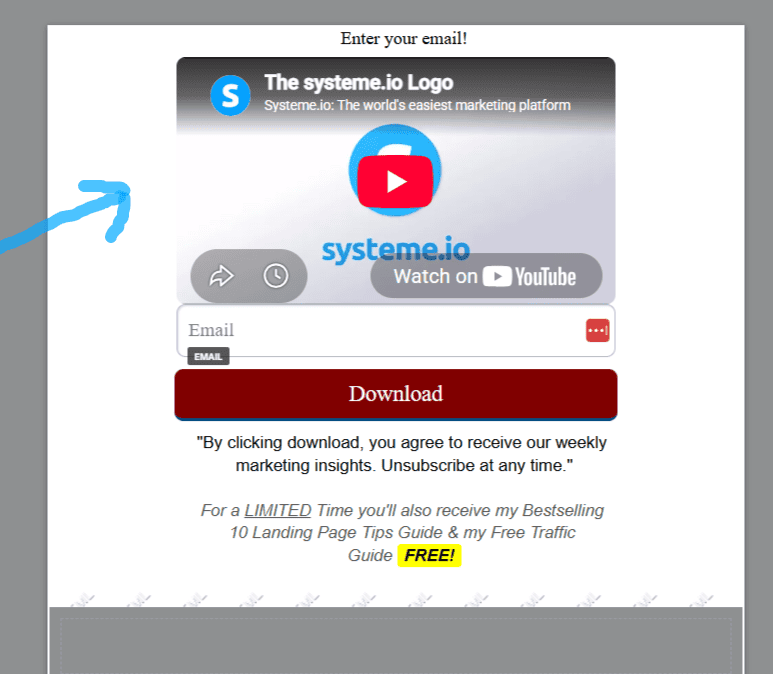
Want to give your landing pages an instant high-end makeover without paying for premium plugins?
Knowing how to Embed YouTube video background in Systeme.io style can differentiate your offers from every other affiliate or course creator using standard templates.
Video background sections hold visitor attention significantly longer, giving your primary call-to-action the spotlight it deserves.
Keep reading, and I’ll share how to do this step by step, the single biggest mistake I made with my video, 4 hidden tips for a landing page video, and I’ll give you a free cheat sheet on how to get your emails opened, read, and clicked on, which will put more money in your pocket!
Systeme.io Tier & Automation Limits
Select a plan tier below to compare contact limits, funnels, and automation capacity.
Key Benefits of Using Video on High-Converting Landing Pages
The largest reason to add video to your landing pages is that it helps build trust!
Most importantly, including a video on a landing page can increase conversions by 80% or more.
Plus, it can simplify a complex idea, increase dwell time (meaning how long someone stays on your page), and appease skimmers and people who prefer video and audio to text.
Step 1: Create Your Systeme.io Account to Build Your Lead Funnel
The first step is to create a free account with Systeme io.
Systeme io is an amazing tool because you get SO SO much with the free plan. You can send out as many emails as you want.
The catch is that with the free plan, on the landing page you are required to have this sticker for Systeme io, but it’s an affiliate link, so you get paid to have it.
The second catch I found is that the free plan only has 1 automation. The reason automations are nice is that you can send someone different emails based on what they purchase.
It improves the user experience.
The good news is I figured out a free workaround for this, and I wrote a post on how to send different emails after purchase with Systeme io.
Step 2: How to Build and Customize a High-Converting Opt-in Form
What I did is I created the opt-in form and made it super simple. The optin-form is when someone enters their email for more information on something.
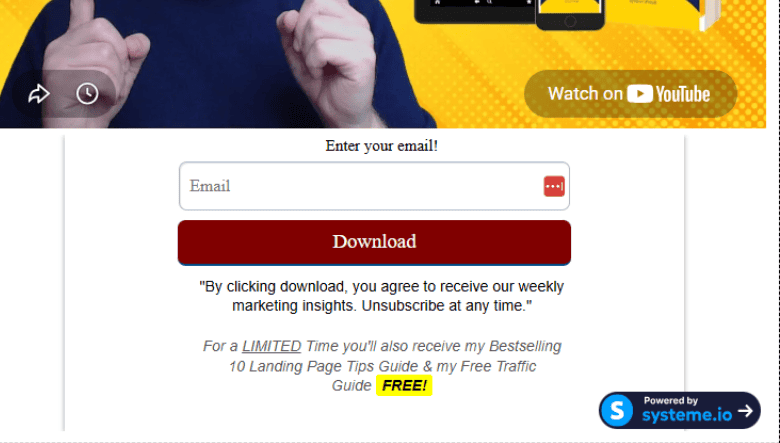
If you’re not sure how to create this opt-in form, I created a simple step-by-step walkthrough on how I created mine.
Step 3: How to Embed a YouTube Video into Your WordPress Page
Then, right above the opt-in form in WordPress, I clicked on YouTube embed.
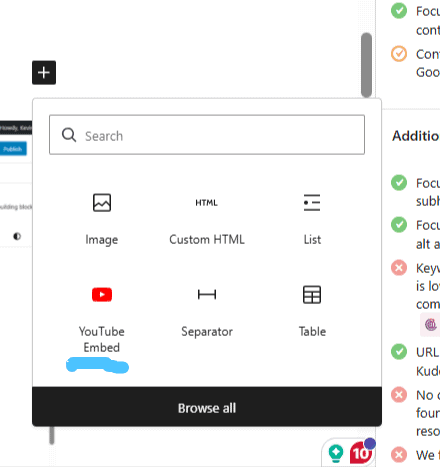
Then I created a simple YouTube video with the thumbnail and made it unlisted so anyone with the link could view it, and I copied the address into that box.
You might be wondering what to do if you don’t have WordPress, or how to add a video to the opt-in form with Systeme.io.
How to Embed a Video on a Systeme.io Landing Page Step-by-Step
Systeme io makes it very easy to add a video to the landing page. I sound like I work for the company, but I don’t.
On the page where you created your landing page, you simply click on the video button in the “media” tab.
Then what happened to me is the video box popped up at the very bottom of the opt-in box, and I hit the up arrow to move the video up, but you can move the video box anywhere you want.
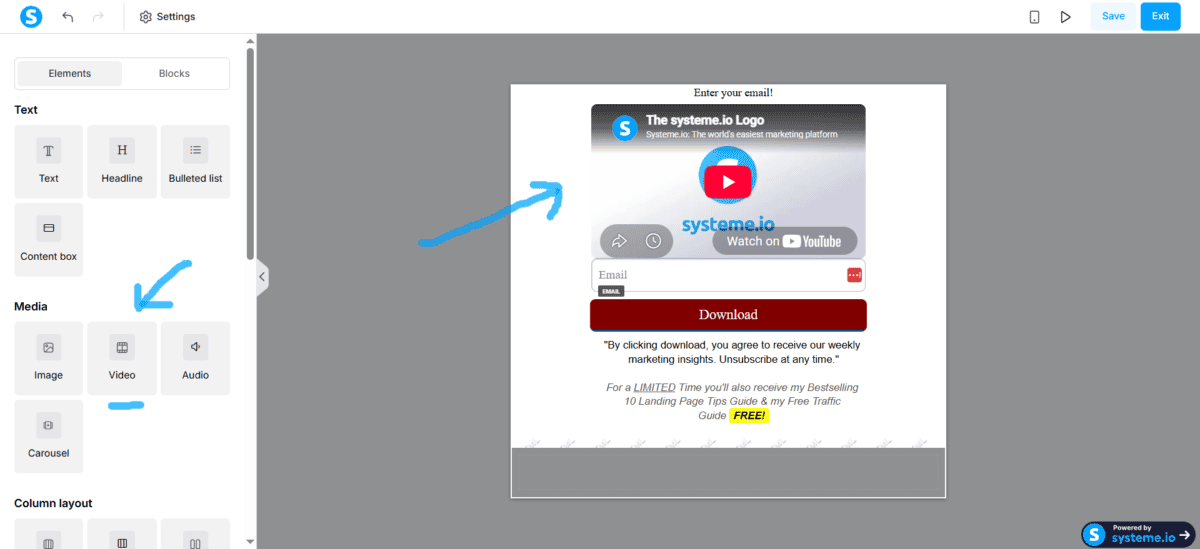
But, you don’t want Systeme io’s video; you want a custom video, right?
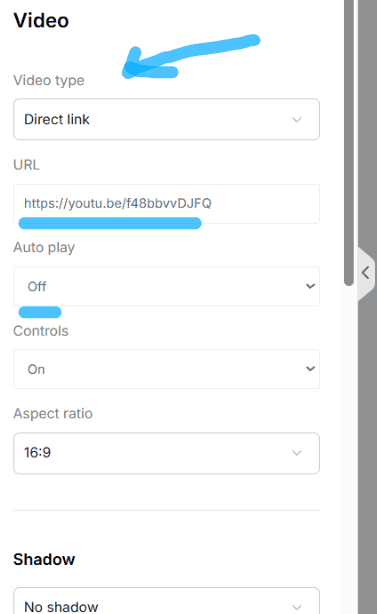
All you do is click on the gear icon in the video box, and it will bring up this menu. You can direct-link to a YouTube video, upload a video, and even set the video to autoplay.
Now, my video DOES NOT autoplay, and I don’t recommend it mostly because it does come across as pushy and annoying.
However, some people do like the video to autoplay with the sound off to catch someone’s attention, and this could work too.
The Biggest Video Landing Page Mistake That Hurt My Opt-in Rates
The biggest mistake I made when I created a video for my opt-in page is that I literally read the exact copy of the landing page on the video.
Don’t do this; instead, the video should complement the copy.
It’s better to show and not tell, and I do this in my video. Show someone what they get if they put their name in the opt-in box.
If you’re giving away a free report, show the report and skim through it. It can drive more curiosity!
Another really good thing to do is an anchor. Meaning, in the first 5-10 seconds, state the primary outcome or solution someone will get.
If you don’t get their attention within the first 5-10 seconds, they are gone.
To be honest, you also want them to be gone if they are not interested in the main outcome!
Lastly, at the end of the video, deliver a single call to action. Point to the box and tell the viewer exactly what to do.
Oh, and It’s not a bad idea to have the video above the fold, meaning someone doesn’t have to scroll down to watch the video; it pops up and draws curiosity.
Closing: Embed YouTube Video Background in Systeme.io
I hope this post was helpful.
Getting someone to opt in to a list is only a small part of the puzzle. The next thing is what to write and craft emails that will help someone and put money in your pocket.
I created a whole cheat system guide on crafting emails. Let me tell you this FREE cheat sheet kicks ass, works, and most importantly, is very fun for you and the reader.
Plus, I spent tons of time and money figuring this out. It also includes a FREE cheat sheet for creating a landing page and 10 tips many people don’t realize.
Bye for now.