
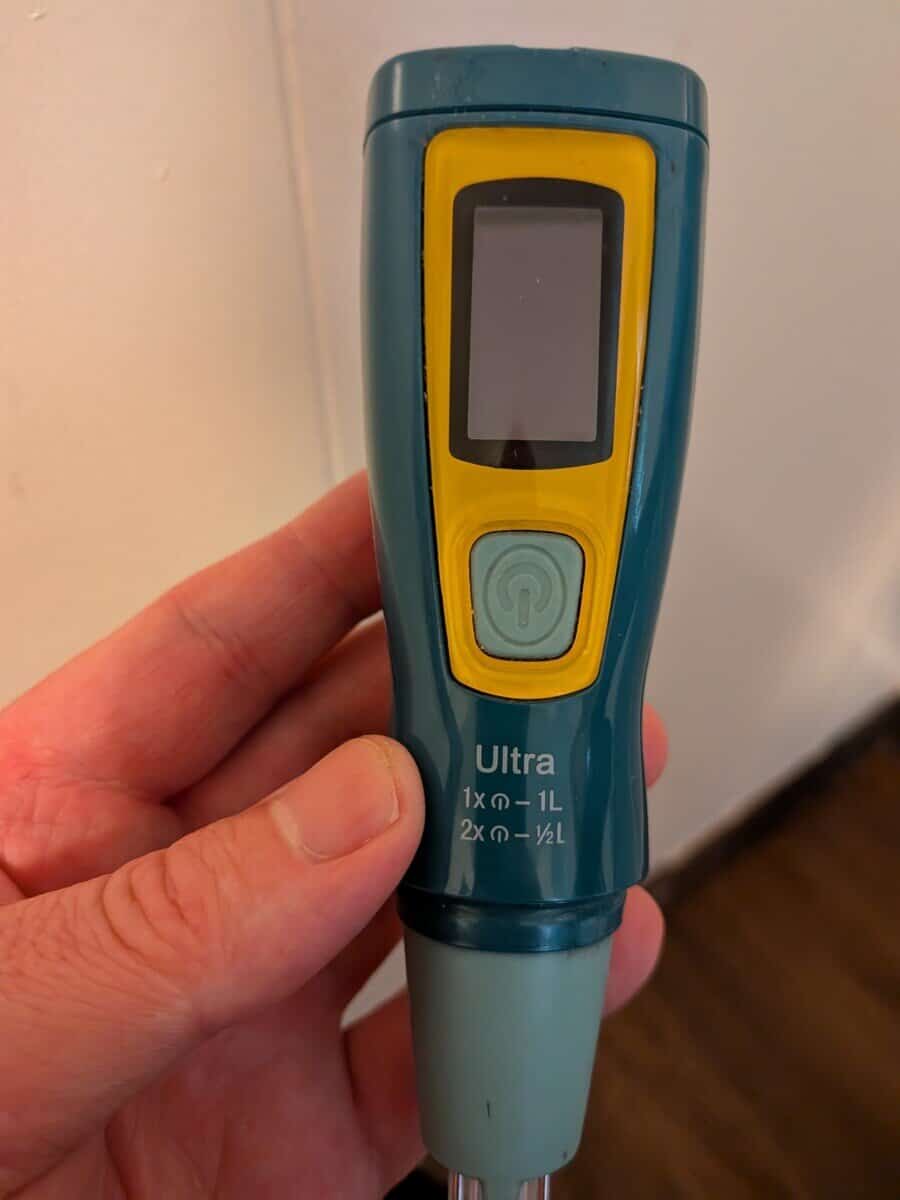
Nothing ruins a backwoods trip like a SteriPen blinking red light fix being your only priority when you’re thirsty.
If your UV purifier is acting up, don’t panic
—it’s usually a battery or sensor glitch rather than a dead bulb.
Here are some easy fixes
- Dry the “Water Sensor” Pins
- Remove the batteries and warm them in your pocket against your skin for 5–10 minutes
- Switch to Energizer Ultimate Lithium or high-capacity rechargeable NiMH (2300mAh+) batteries.
Keep reading, and I’ll go over the details on how to fix this stupid red light warning that can happen!
Travel Gear Maintenance Checklist
Water Purification (SteriPen)
Footwear (Merrell Moabs & Inserts)
Electronics & Tech
Hygiene & Zero-Waste
Steripen Blinking Red Light Fix: Troubleshooting Failed Treatment Errors
It’s frustrating and has happened to me a few times.
What “always” has fixed it (knock on wood) is just drying the sensors. On mine, it’s the 2 metal rods.
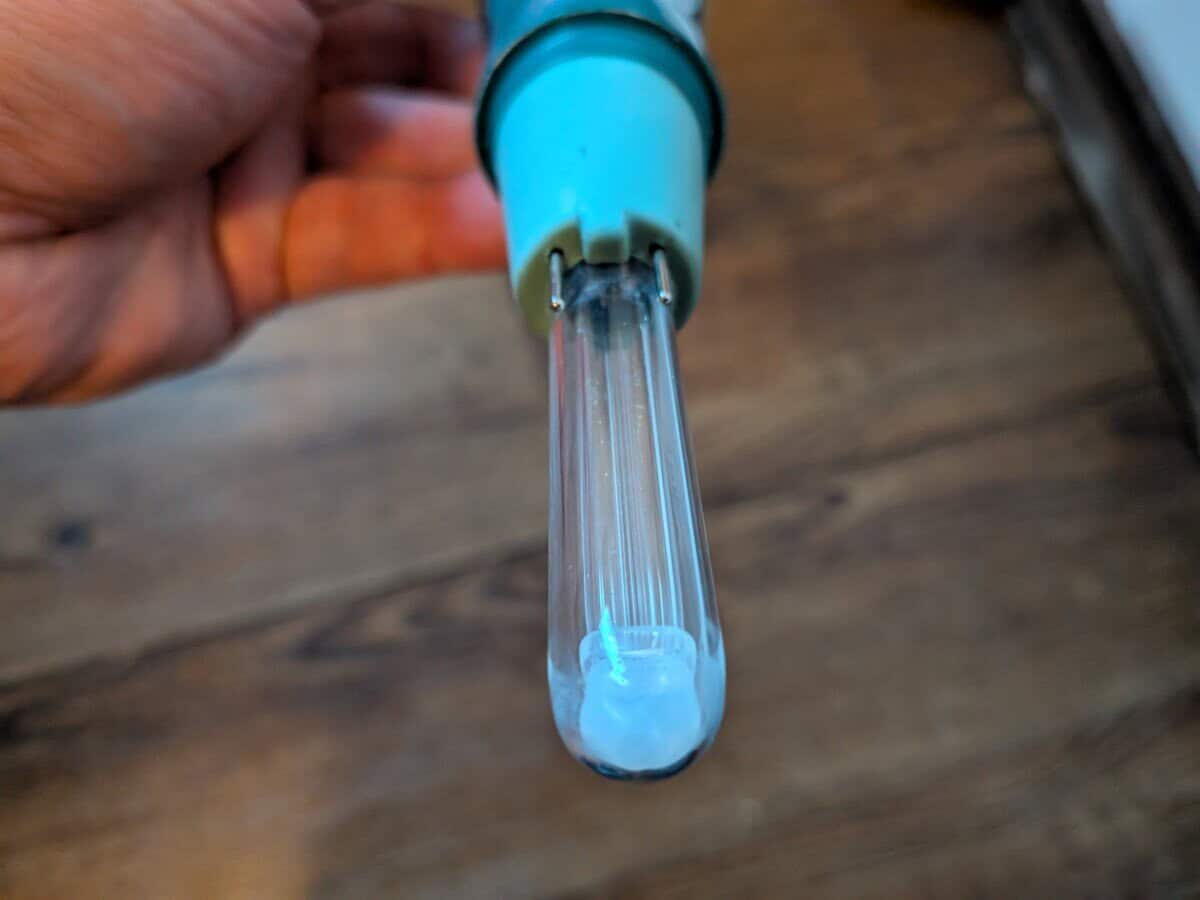
If that doesn’t work, a good idea is just to charge the device and see if that fixes it. If you’re in the woods, this is why you should have a solar panel bank.
Around town, it might be better for a normal power bank that you can recharge easily from a wall.
I use and recommend the Steripen that charges with a USB.
If you have one with batteries, maybe remove the batteries and warm them against your skin. Also, get better batteries like the rechargeable NiMH (2300mAh+).
You could try rubbing alcohol, which cleans the sensors. Even if the metal rods look dry, there could be something that is tripping the device.
If your Steripen is still showing a blinking red light. Then inspect the area where the glass meets the plastic handle.
If any water entered behind the glass, it could trigger a red light error.
If you see any moisture inside the glass, it’s best not to use it for 48 hours to draw out the moisture. You could put it in a sealed container with silica gel packets or dry rice.
Soft Reset
Lastly, there is a soft reset on a Steripen.
You plug it into a power source (wall or power bank).
While it’s plugged in and charging, press and hold the power button for 10-15 seconds. Next, unplug it and try to activate it again. This might clear any glitches.
When all else fails, sometimes reseting things just works
If that screen shows a “Slammed” X icon or a Battery with a Line through it, it’s a hardware failure. But if it’s just the red LEDs flashing on the side, it’s almost always a sensor or moisture issue.
Steripen Green Light Then Red: Why Your UV Treatment Failed Mid-Cycle
This means something interrupted the device while it was working.
The red light means you should try again, and it’s NOT safe to drink.
- Cloudy Water
Some models have sensors where, if the water is too dirty, the light is blocked, and it gives you this red light.
You could try to run the water through a coffee filter or a shirt to remove big objects that could block the light.
- 2 Pin Removal
Another idea is if the 2 pins or (sensors) are removed from the water (mid-cycle), then it could give this red sign.
So, try again and ensure the water is deep enough for the sensors, and keep stirring.
- Weak Battery
A Steripen requires energy.
There might be enough to start it, but if the charge is weak, it could give this red notice. Try to charge it, warm the batteries, or switch batteries.
Steripen Ultra Smiley Face Meaning: Understanding OLED Display Icons
It means the water is safe to drink.
Just remember the UV pen only cleans the water the light touches. So the rim, maybe wipe down the rim.
Also, it’s good to stir the entire time, this agitates the water so the UV light can reach every little bacteria or virus.
How to Clean a Steripen Optical Sensor for Better Water Detection
Honestly, I mostly clean the Steripen optical sensors (the 2 metal prongs) with a shirt.
This isn’t the best way, similar to cleaning glasses.
What is better is fresh water, and let it air dry. Another option is a microfiber cloth, you know, the same one for glasses or a camera lens.
Alcohol wipes are another great choice. Now, if you’re backpacking in the country, clean water or I’ve used a shirt.
Closing: SteriPen Blinking Red Light Fix: 3 Quick Solutions
I hope this post on SteriPen Blinking Red Light Fix was helpful.
I’ve been using a Steripen for I don’t know, maybe 10 years, could be 15 years. It’s such an amazing device, and I purchased so many for gifts for people.
Rarely does it act up, but some things just happen.
It’s still WAY better than the alternatives, I think. I wrote a post on 12 more benefits of a Steripen.
You might be wondering how I earn money to fund travel. Well, I do and recommend affiliate marketing. What I like about it is that you can do it anywhere, in nearly any niche, do it anytime around a schedule, and it’s fun.
Plus, you can earn money.
I’m giving away cheat sheets on the system I use for free.
If you want to earn income faster, there are tons of work-from-home jobs. I wrote a post on 10 steps to find the right work-from-home job!
Bye for now.